Lists and collections
In this chapter, you will:
- Display dynamic collections with
List::for_eachand theIdentifiabletrait- Use
waterui::reactive::collection::Listfor reactive, fine-grained collection updates- Group rows with the new
ListSectionsemantic marker- Build a complete contacts list with add and remove operations
Every app needs a way to show lists of data — a chat thread, a to-do list, a feed of posts, a directory of contacts. Unlike a fixed set of views you write by hand, these collections grow and shrink at runtime as data changes. WaterUI provides List<V> as the native list surface, for_each to map collections to views, and the new ListSection marker to group rows under semantic headers.
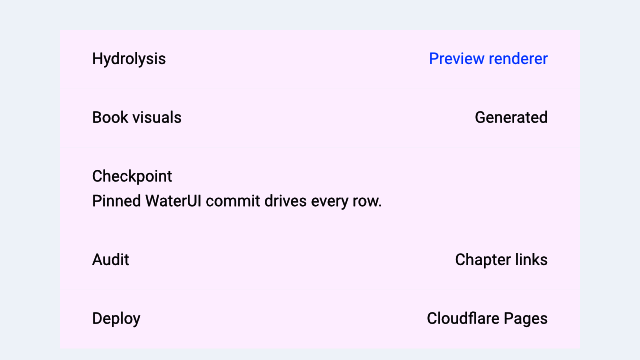
A Hydrolysis preview of sectioned WaterUI lists. Example source.
A first dynamic list
List::for_each is the bridge between a data collection and the rows on screen. You give it a collection and a generator that returns one ListItem per element:
use waterui::prelude::*;
use waterui::Identifiable;
use waterui::component::list::{List, ListItem};

#[derive(Clone)]
struct TodoItem {
    id: i32,
    title: String,
    done: bool,
}

impl Identifiable for TodoItem {
    type Id = i32;
    fn id(&self) -> i32 { self.id }
}

fn todo_list(items: Vec<TodoItem>) -> impl View {
    List::for_each(items, |item| {
        ListItem::new(hstack((
            text(item.title),
            spacer(),
            if item.done { text("Done") } else { text("Pending") },
        )))
    })
}
List is a native, scrolling, platform-styled surface. On iOS it renders as an inset-grouped UITableView; on macOS as an NSTableView with group rows; on Material backends as a list with section dividers.
The Identifiable trait
Every item in a for_each generator must implement Identifiable. The trait provides a stable identity for each element so the framework can efficiently diff, insert, and remove rows when the collection changes:
use core::hash::Hash;
pub trait Identifiable {
    type Id: Hash + Ord + Clone;
    fn id(&self) -> Self::Id;
}
Common Id types are integers, UUIDs, and string keys.
Warning: The identity must be stable — the same data item should always return the same id. Changing an item’s id forces the framework to treat it as a removal followed by an insertion, which is more expensive than an in-place update.
Reactive collections with waterui::reactive::collection::List
A plain Vec works for static data, but lists usually change at runtime. The
List<T> type from waterui::reactive::collection is a reactive collection:
every mutation emits a fine-grained change notification that the UI observes:
use waterui::reactive::collection::List as ReactiveList;
#[derive(Clone)] struct TodoItem { id: i32, title: String, done: bool }

fn seed() {
    let items: ReactiveList<TodoItem> = ReactiveList::new();

    items.push(TodoItem { id: 1, title: "Buy milk".into(), done: false });
    items.push(TodoItem { id: 2, title: "Write docs".into(), done: false });

    let _ = items.pop();
    items.insert(0, TodoItem { id: 3, title: "Urgent".into(), done: false });
}
Note: Both the rendering surface and the data backend are called
List. To keep them apart in code, alias one of them — this chapter usesReactiveListfor the data type and the bareListfor the view.
Initialise from a Vec:
use waterui::reactive::collection::List as ReactiveList;
#[derive(Clone)] struct TodoItem { id: i32, title: String, done: bool }
fn from_seed(item1: TodoItem, item2: TodoItem) {
    let _ = ReactiveList::from(vec![item1, item2]);
}
Sectioned lists
The pinned waterui adds a ListSection semantic marker so a single List can express multiple logical groups. Mark the first row of a section with .section(ListSection::new("Header")) and subsequent items belong to that section until another marker is encountered:
use waterui::prelude::*;
use waterui::Identifiable;
use waterui::component::list::{List, ListItem, ListSection};

#[derive(Clone)]
struct ContactRow {
    id: i32,
    name: String,
    section: Option<&'static str>,
}

impl Identifiable for ContactRow {
    type Id = i32;
    fn id(&self) -> i32 { self.id }
}

fn directory(contacts: Vec<ContactRow>) -> impl View {
    List::for_each(contacts, |contact| {
        let mut row = ListItem::new(text(contact.name.clone()));
        if let Some(section) = contact.section {
            row = row.section(ListSection::new(section));
        }
        row
    })
}
ListSection carries an optional header label and footer. Use ListSection::unlabeled() for a visual divider with no header, and .footer(...) to append a caption-style note below the section. The visual treatment is delegated to the platform — iOS renders inset-grouped sections, macOS uses NSTableView group rows, and Material backends translate the marker into section dividers.
Tip: Reach for
ListSectionwhenever a list contains more than one kind of row. Grouping rows by topic is exactly the use case the upstream dev branch added the marker for.
Editing: delete and reorder
List exposes editing(...), on_delete(...), and on_move(...) builders. The handlers pull ListDelete (a row index) and ListMove (from/to indices) from the environment so you can dispatch on them just like any other extractor:
use waterui::prelude::*;
use waterui::Identifiable;
use waterui::component::list::{List, ListDelete, ListItem, ListMove};
use waterui::reactive::collection::List as ReactiveList;

#[derive(Clone)] struct Contact { id: i32 }
impl Identifiable for Contact { type Id = i32; fn id(&self) -> i32 { self.id } }
fn editable(items: ReactiveList<Contact>) -> impl View {
    let editing = Binding::bool(false);
    List::for_each(items.clone(), |item| ListItem::new(text(item.id.to_string())))
        .editing(editing.clone())
        .on_delete(
            move |State(items): State<ReactiveList<Contact>>, ListDelete(index): ListDelete| {
                items.remove(index);
            },
        )
        .on_move(
            move |State(items): State<ReactiveList<Contact>>, ListMove(movement): ListMove| {
                let _ = (items, movement);
                // perform reorder on the reactive list
            },
        )
        .state(&items)
}
Per-row controls — ListItem::deletable(false), for instance — refine the behavior on a row-by-row basis.
Static lists from iterators
When the data is genuinely static, you can collect any iterator of views into a VStack:
use waterui::prelude::*;

fn fruit_list() -> impl View {
    let names = ["Apple", "Banana", "Cherry"];
    let stack: VStack<_> = names.into_iter().map(text).collect();
    stack
}
This produces a VStack with default 10pt spacing. There is no virtualization here — every item is laid out at once — so prefer List::for_each plus a reactive collection for anything that might grow.
Building a complete list
Here is a contacts screen with a reactive list, a typed Contact model, and an add button:
use waterui::prelude::*;
use waterui::Identifiable;
use waterui::component::list::{List, ListItem};
use waterui::reactive::collection::List as ReactiveList;

#[derive(Clone)]
struct Contact { id: i32, name: String }

impl Identifiable for Contact {
    type Id = i32;
    fn id(&self) -> i32 { self.id }
}

fn contacts_screen() -> impl View {
    let contacts: ReactiveList<Contact> = ReactiveList::from(vec![
        Contact { id: 1, name: "Alice".into() },
        Contact { id: 2, name: "Bob".into() },
    ]);
    let next_id = Binding::i32(3);

    vstack((
        text("Contacts").title(),

        // Add button: capture both bindings via State<T>.
        button("Add Contact")
            .action(
                |State(contacts): State<ReactiveList<Contact>>,
                 State(next_id): State<Binding<i32>>| {
                    let id = next_id.get();
                    contacts.push(Contact { id, name: format!("Contact {id}") });
                    next_id.set(id + 1);
                },
            )
            .state(&contacts)
            .state(&next_id),

        // The list itself.
        List::for_each(contacts, |contact| ListItem::new(text(contact.name))),
    ))
}
Tip: Try extending this example by adding a delete button next to each contact. You can either use the
on_deletehandler shown above, or attach a per-row button that captures the contact’s id and removes it manually.
Performance considerations
- Use
waterui::reactive::collection::List<T>for mutable collections. It emits fine-grained change notifications. A plainVecis suitable only for static data. - Keep
Identifiable::id()stable. Changing an item’s id forces a removal + insertion instead of an in-place update. - Wrap with a
Listfor backend virtualization.List::for_eachproduces a native list surface that can lazily realise rows. - Avoid expensive closures in the generator. It is invoked for each
visible row. Push expensive computation into async tasks or cached
Computedvalues. - Group with
ListSection, not extra stacks. A singleListwith sections gives the platform full control over chrome and scroll performance; nested stacks defeat virtualization.
You can now display any dynamic data set. But what if you need to show different views depending on a condition — a loading spinner while data loads, or a login prompt when the user is not authenticated? That is the topic of the next chapter.